Checking In on Go Outdoors Kansas
It can be incredibly frustrating to drive miles to a prime Walk-In Hunting Access (WIHA) tract in Kansas, only to find it already teeming with other hunters, or worse, discover it's an "iWIHA" tract with a daily limit you didn't know about. This guide is here to untangle the confusion surrounding the Go Outdoors Kansas platform, specifically focusing on the essential check-in process for interactive WIHA (iWIHA) properties, so you can hunt smarter and avoid those discouraging surprises.
Understanding Go Outdoors Kansas and iWIHA
For years, Kansas hunters have relied on the general Walk-In Hunting Access (WIHA) program, a fantastic initiative that leases private land for public hunting. You'd grab an atlas, find a tract, and head out. Simple, right? Well, with increasing hunter numbers and the desire to manage pressure more effectively, the Kansas Department of Wildlife, Parks and Tourism (KDWP) introduced a new layer to this system: interactive WIHA, or iWIHA. This is where the Go Outdoors Kansas platform becomes not just helpful, but absolutely mandatory for specific parcels of ground.
What is iWIHA and How Does it Differ?
Imagine a fantastic piece of public hunting ground that consistently sees heavy pressure, sometimes to the point where the hunting experience suffers for everyone involved. That's the problem iWIHA aims to address. While general WIHA tracts are typically open access on a first-come, first-served basis without requiring any formal check-in, iWIHA tracts are different. These are specific WIHA areas, usually designated on the Kansas WIHA Atlas or the online hunting atlas, that have a set daily capacity limit for hunters. To hunt an iWIHA tract, you must check in using the Go Outdoors Kansas website or mobile app before you even step foot on the property.
The crucial distinction lies in that "interactive" element. It's not just a map anymore; it's a dynamic system. When you look at an iWIHA tract on the platform, it will tell you how many hunter slots are available, or if it's currently full. This immediate feedback means you can see the pressure in real-time. For a general WIHA tract, you might show up at dawn, optimistic, only to find three trucks already parked there, indicating the spot is already being heavily hunted. With iWIHA, you know beforehand, allowing you to make an informed decision to either proceed or seek out another area. It’s a game-changer for avoiding wasted time and disappointment. You can find more details on How Kansas WIHA Works in our other resources.
Why Check-In is Necessary on iWIHA Tracts
You might be thinking, "Another hoop to jump through? Can't I just hunt?" I totally get that sentiment. Hunters often feel like regulations pile up, making it harder to simply enjoy being afield. However, the check-in system for iWIHA tracts serves several vital purposes that ultimately benefit the hunting community and the resource itself. First and foremost, it's about managing hunter density. By limiting the number of hunters on a specific parcel each day, KDWP aims to improve the quality of the hunting experience. No one wants to share a 100-acre timber block with ten other hunters; it just spreads everyone thin and spooks the game.
Secondly, the check-in and check-out data is invaluable for wildlife management. KDWP can track hunter use patterns, understand which tracts are most popular, and identify areas that might need different management strategies. This data helps them decide which land to lease for the WIHA program, how to allocate resources for habitat improvements, and even influence future season structures. It also helps demonstrate the value of these public access programs to landowners, showing them that their participation directly contributes to organized and responsible hunting. While it might feel like an extra step, it's a small investment of your time that contributes to better hunting opportunities for everyone in the long run.
Step-by-Step Guide to Checking In
Let's face it, technology and hunting don't always mix seamlessly. You're out in the boonies, probably with spotty cell service, and the last thing you want is to wrestle with an app when you should be focusing on the hunt. That's why understanding the Go Outdoors Kansas check-in process before you're standing at the edge of an iWIHA tract is so important. A little preparation goes a long way to avoid a frustrating start to your day.
Setting Up Your Go Outdoors Kansas Account
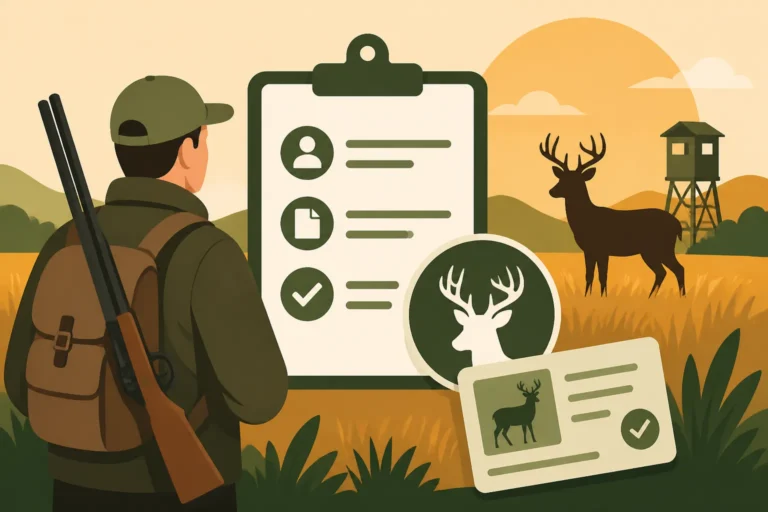
If you haven't already, your first step is to create an account on the Go Outdoors Kansas website or through their mobile app. This isn't just for iWIHA check-ins; it's also where you'll purchase your hunting license, deer permits, turkey tags, and pretty much anything else you need from KDWP. Think of it as your personal hunting hub. You'll need to provide some basic personal information, and if you've purchased licenses in Kansas before, your history should link up. It's really helpful to do this on a computer with a good internet connection, not trying to do it for the first time on your phone in a weak signal area.
Once your account is set up, make sure all your current licenses and permits are linked and visible. Sometimes, if you buy a permit through a vendor, it might take a moment to show up in your online account, so don't wait until the last minute. Familiarize yourself with the layout, especially where the "WIHA" or "Hunting Atlas" sections are. Many hunters find it useful to log in and click around a bit even if they aren't checking in, just to get comfortable with the interface. This way, when crunch time comes on hunt day, you're not fumbling around, losing precious minutes or getting flustered.
The Check-In Process on Hunt Day
Okay, you've got your account, your licenses are in order, and you've identified an iWIHA tract you want to hunt. Now for the actual check-in. The process is pretty straightforward. You'll navigate to the "WIHA" section, often found under "Licenses & Permits" or a specific "Hunting" menu, within the Go Outdoors Kansas platform. From there, you'll be able to view a map of all WIHA tracts. The iWIHA tracts will be clearly marked, often with a different color or icon, and crucially, they'll display the current hunter capacity.
Here’s the breakdown:
- Find the Tract: Use the map feature to locate the specific iWIHA tract you're interested in. You can zoom in, search by county, or use your phone's GPS to show tracts near your current location. This is where having a good mapping app like onX Hunt open concurrently can be a huge benefit, as you can verify your position relative to the tract.
- Check Availability: Before you even select it, quickly confirm that there are available hunter slots. If it says "Full," you'll need to move on to another plan or wait to see if someone checks out.
- Initiate Check-In: Click on the desired tract. You'll be prompted to confirm you want to check in. The system will automatically pull up your active hunting license.
- Confirmation: Once confirmed, you'll receive a digital confirmation or "permit" within the app, showing you're officially checked in for that specific iWIHA tract for the day. Make sure you see this confirmation! This digital record is your proof of check-in.
- Troubleshooting: What if you have no cell service? This is a common Kansas problem. KDWP advises hunters to check in before arriving at a tract known for poor reception. If you get there and have no signal, you're unfortunately out of luck for that specific iWIHA tract unless you can drive to an area with service, check in, and then return. Always try to check in at home, at a gas station on the way, or anywhere with a reliable signal, particularly for tracts listed on the Kansas iWIHA Check-In Rules.
Navigating iWIHA Specifics and Best Practices
The iWIHA system is a valuable tool, but like any tool, it comes with its own quirks and best practices to master. Simply knowing how to check in isn't quite enough; understanding the nuances can make the difference between a successful hunt and a frustrating drive home.
Daily Capacity Limits and "Full" Tracts
One of the defining features of iWIHA tracts is their daily capacity limit. These limits are put in place for a good reason: to ensure that the quality of the hunting experience isn't diminished by too many people in one area. If you try to check into an iWIHA tract and the system tells you it's "Full," it means the maximum number of hunters for that day has already been reached. There's no workaround for this; you simply cannot hunt that specific tract until a spot opens up, which would happen if another hunter checks out. For more details on these limits, check out Daily Capacity Limits on iWIHA Tracts.
This is where planning ahead becomes absolutely critical. If you're heading to a popular iWIHA spot during peak season – say, a prime timber block during the whitetail rut or a well-known pheasant field on opening weekend – you need to anticipate that it might fill up quickly. Many seasoned hunters will check their desired iWIHA tract online before leaving home, or certainly before the sun comes up. If it's full, you need a backup plan. This is where a robust mapping application like GoHunt or onX Hunt really shines. With these tools, you can quickly identify nearby general WIHA tracts or other public land options, allowing you to pivot quickly rather than waste valuable hunting time driving aimlessly. Always have at least two or three alternate locations in mind, especially if you're targeting specific Kansas Deer Units With the Most Public Land.
Checking Out and Compliance
Just as important as checking in is remembering to check out when you leave the iWIHA tract. I know, another step, but this one is crucial for several reasons. Firstly, and most immediately, it frees up a slot for another hunter. If you finish your hunt at noon but forget to check out, that spot remains "occupied" in the system all day, preventing someone else from enjoying the property. Being a good steward of our public hunting resources means respecting this system and allowing others the same opportunities you had.
Secondly, checking out ensures that the KDWP receives accurate data on hunter usage. This information is vital for managing the WIHA program effectively, making decisions about which tracts to renew, and assessing the overall success of the initiative. Think of it as your vote for the program. If everyone faithfully checks in and out, the KDWP gets a clear picture of demand and usage, helping them advocate for continued funding and expansion of public access.
Finally, while it might not always be enforced with a heavy hand, failure to comply with check-in and check-out procedures on iWIHA tracts can lead to a citation. It's a regulatory requirement, and just like having your license or valid tags, it's part of legal hunting in Kansas. Don't risk a fine or a spoiled day by forgetting this simple step. Beyond the legalities, adhering to the check-in/check-out system is a reflection of ethical hunting practices and helps maintain the positive reputation of hunters. Remember, the goal is to leave the area as good as, or better than, you found it, which applies to digital footprints too. This ethos extends to broader practices such as Leaving No Trace on Walk-In Ground.
Tools and Tips for a Smooth iWIHA Experience
Even with the best intentions, technology can throw a curveball. Weak cell signal, a forgotten login, or simply misinterpreting the map can derail a well-planned hunt. That's why leveraging additional tools and adopting some smart habits can drastically improve your iWIHA experience.
Using Mapping Apps to Complement Go Outdoors Kansas
While the Go Outdoors Kansas platform is your official portal for checking in and out, it's not always the most robust mapping solution. This is where dedicated hunting mapping applications like onX Hunt or GoHunt become indispensable. These apps offer incredibly detailed satellite imagery, topographic maps, and crucially, they clearly delineate public and private land boundaries, including all WIHA tracts (both general and iWIHA). I can't stress enough how much easier it is to navigate unknown territory with these tools.
Imagine this scenario: you've successfully checked into an iWIHA tract, but now you need to find the best access point and navigate the timber. Your onX Hunt app will show you exactly where you are, where the property lines are, and even highlight potential features like creek bottoms, subtle elevation changes, or timber edges that might hold deer. You can mark potential stand locations and access routes, especially helpful when Scouting Kansas River Bottoms and Creek Draws or trying to pinpoint Cedar Thickets as Bedding Cover.
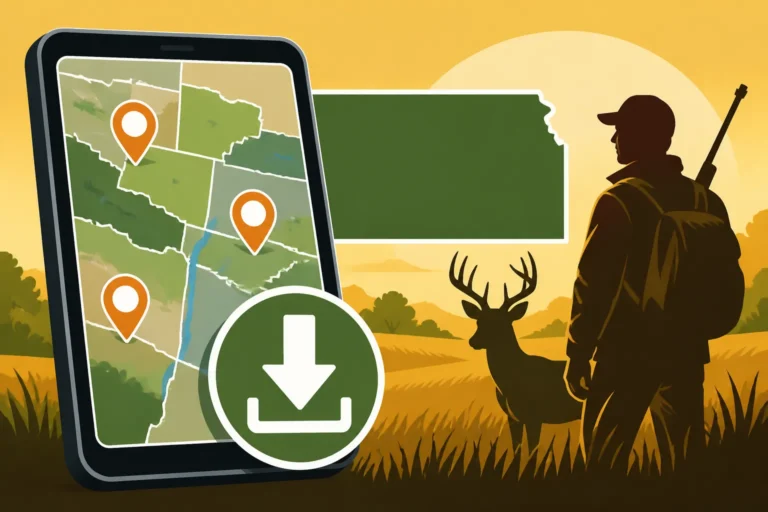
The absolute biggest tip for using these apps, especially in rural Kansas where cell service can be spotty at best, is to download offline maps for the areas you plan to hunt before you leave home. This ensures that even if you have zero bars, your GPS will still work, showing your exact location on the detailed map. There’s nothing worse than getting deep into a walk-in area only to lose your map and orientation because your phone lost signal. This preparation is a crucial part of E-Scouting Kansas Farm Country From Home before you ever hit the road.
Planning Ahead for iWIHA Hunts
Successful hunting, especially on public land, often comes down to planning. With iWIHA tracts, this is doubly true due to the capacity limits. Don't wait until 15 minutes before legal shooting light to try and check into your desired spot. Many savvy hunters will check the Go Outdoors Kansas platform the night before their hunt or, at the very latest, in the wee hours of the morning from a location with reliable internet. This gives you time to react if your primary tract is already full.
Having a robust backup plan is not just smart; it's essential. If your go-to iWIHA tract is at capacity, you need to be able to quickly pivot to another location. This might mean having a list of several other iWIHA tracts in the vicinity, or a selection of general WIHA tracts where you know the rules allow for open access. When you're making these backup plans, consider checking the Kansas WIHA Acres and Enrollment for your target counties to give yourself the best chance of finding alternative public land. Also, be aware of When Kansas WIHA Tracts Open in Fall and how that impacts early season pressure.
It's also a good idea to understand the typical hunter pressure patterns in your area. Weekends and opening days of any season (archery, muzzleloader, firearm) will almost always see higher pressure on iWIHA tracts, causing them to fill faster. If you have the flexibility, hunting on weekdays can dramatically increase your chances of getting a spot on a popular tract. While the check-in system adds a layer of complexity, it ultimately provides a more equitable and enjoyable experience by spreading hunters out and preserving the quality of these valuable public hunting grounds.
| Feature | General WIHA | Interactive WIHA (iWIHA) |
|---|---|---|
| Check-In Required | No | Yes, via Go Outdoors Kansas platform |
| Daily Capacity | No formal limits (first-come, first-served) | Yes, enforced daily hunter limits |
| Real-time Status | Not available, must scout in person | Available on Go Outdoors Kansas (open/full) |
| Check-Out Required | No | Yes, via Go Outdoors Kansas platform |
| Data Collection | Limited, primarily through harvest reports | Extensive, tracks hunter usage and pressure |
| Purpose | General public access to leased private land | Manage hunter density for improved experience |
Disclaimer
This article is for general informational purposes only and does not constitute professional advice. Laws, prices and regulations vary by location and change over time. Consult a qualified professional for guidance on your specific situation.